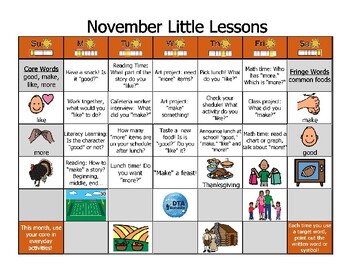
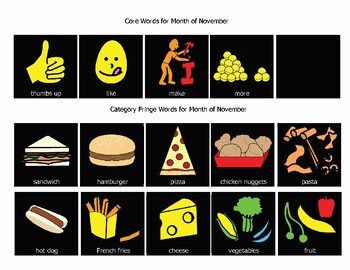
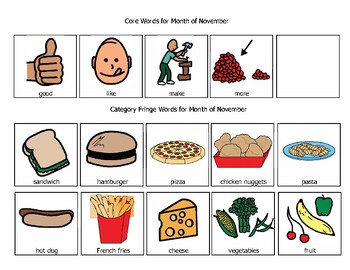
Support AAC modeling and food-themed learning all month long with this Food-themed Little Lessons and Vocabulary Boards set. This resource helps teachers, SLPs, paraprofessionals, families, and classroom visitors use targeted core and fringe vocabulary naturally during real classroom routines, meals, cooking activities, literacy, and conversations about food preferences and daily experiences. This set includes an undated Food Little Lessons activity calendar, core word boards, food vocabulary boards, Grab n’ Go communication boards, and a classroom implementation guide. The undated calendar design allows teachers and therapists to use the activities flexibly year after year and adapt them to classroom schedules and instructional needs. Targeted core words include good, make, like, and more, paired with food vocabulary such as sandwich, hamburger, pizza, chicken nuggets, pasta, hot dog, French fries, cheese, vegetables, and fruit. Little Lessons encourage adults to model language during authentic activities rather than isolated drill work. Mealtime conversations, cooking activities, snack routines, classroom discussions, and food preference activities become natural opportunities for communication and AAC use. Use the full-page board as a classroom door sign, table board, teacher modeling board, or environmental visual support. Use the Grab n’ Go boards so visitors, therapists, substitutes, and family members can take a copy, come in, and start modeling right away. What’s Included:
✨ Undated monthly Little Lessons activity calendar
✨ Core word communication boards
✨ Food vocabulary boards
✨ Grab n’ Go communication boards for visitors and staff
✨ Classroom AAC implementation and lesson planning guide
✨ Multiple communication board styles and symbol options Perfect For:
✔ AAC classrooms
✔ Special education
✔ Speech therapy
✔ Preschool and elementary learners
✔ Food, cooking, and nutrition units
✔ Communication-rich classroom environments Printing Instructions
For best results, open the PDF in Adobe Reader and select “Choose Paper Source by PDF Page Size” in the print settings. This helps the lesson plan pages print in portrait orientation and the communication boards print in landscape orientation without needing to manually switch settings.