Create a more predictable school day with this interactive Elementary Daily Schedule! Designed for elementary classrooms, AAC users, visual learners, and students who benefit from clear routines, the slides pair simple language with meaningful picture cues.
Buyers receive links to access the slide deck in both Google Slides and Microsoft PowerPoint.
WHAT BUYERS RECEIVE
• Link to download a Google Slides version of the complete daily schedule deck
• Link to download a Microsoft PowerPoint version of the complete daily schedule deck
• Teacher directions for digital and printable use
DIGITAL SLIDE DECK
The 21-slide deck includes:
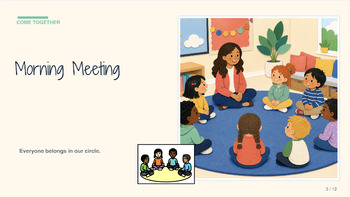
• Individual Activity Slides
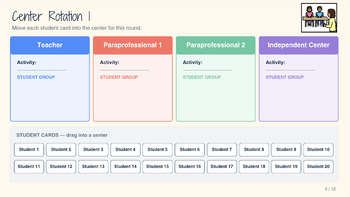
• Four editable center-rotation boards
• Spaces for a teacher, two paraprofessionals, and an independent center
• 20 movable student-name cards
• Editable activity and student-group fields
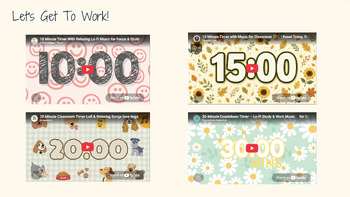
• Timer-choice slides for each center rotation
• Linked 10-, 15-, 20-, and 30-minute visual timers on Youtube
• Teacher setup and implementation guide
EDITABLE FEATURES
Teachers can customize the digital schedule to fit their classroom:
• Duplicate, delete, or rearrange activity slides
• Add classroom times or teacher notes
• Change center names and activity descriptions
• Replace the Student 1–20 placeholders with student names
• Drag student cards into the appropriate center
• Adjust the schedule for special events, shortened days, or unexpected changes
Move student cards while using Edit view. Presentation mode locks the movable pieces.
SUPPORTS AAC AND VISUAL LEARNERS
The consistent picture cues can complement a student’s existing AAC and visual-support system. Teachers can display the current activity, preview upcoming activities, and provide a clear visual reference when the schedule changes.
This resource works well for:
• Elementary special education classrooms
• Inclusive and general education classrooms
• AAC users and emerging communicators
• Autistic students
• Students with communication or language needs
• Students who benefit from visual schedules
• Resource rooms and self-contained classrooms
• Classrooms with paraprofessionals or rotating instructional groups
TIMER INFORMATION
The timer slides contain links to external YouTube timer videos. An internet connection and access to YouTube are required. Video availability and advertisements remain under YouTube’s control.
IMPORTANT INFORMATION
• Buyers receive access links for both Google Slides and Microsoft PowerPoint.
• Digital text, activity fields, center labels, and student cards are editable.
• Photographs, illustrations, and picture cues are not editable.
• This resource complements each student’s established communication, sensory, motor, and vision supports. Follow the student’s IEP and prompting plan.
• This is a digital product. No physical materials will be provided.
• Purchase includes a license for one classroom or individual user. Please purchase additional licenses for additional users.
Use the digital deck for whole-class routines. Take a look at our complementaryInteractive Printable schedule for individual support, giving students consistent picture cues across both formats.