Bring functional academics into your daily routine with this interactive Secondary Morning Meeting for Google Slides! Designed for middle and high school special education and life skills classrooms, this resource combines traditional morning meeting activities with meaningful practice in communication, calendar skills, weather awareness, money, number sense, graphing, decision-making, and social-emotional learning.
Students can participate by speaking, pointing, typing, writing, voting, or moving interactive pieces. This makes the routine easy to adapt for different communication styles and support needs.
What’s included:
• 48 interactive slides
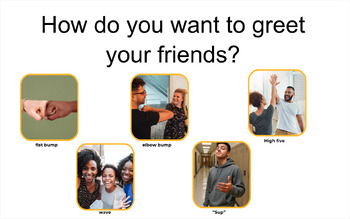
• Greeting choice board
• Classroom rule review
• Student sign-in activities with writing, typing, and drag-and-drop options
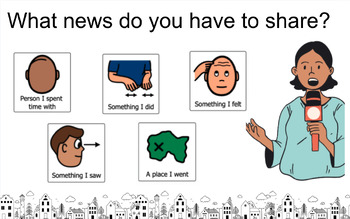
• News-from-home sharing prompts
• Daily weather check
• Weather vocabulary and clothing selection activities
• Interactive calendars from August 2026 through July 2027
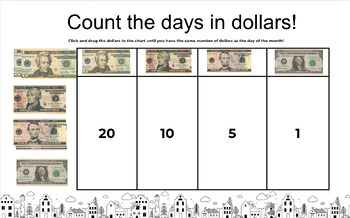
• Counting the days of the month with money
• School-day counting with a number line
• Place value practice using hundreds, tens, and ones
• Video voting and vote-counting activities
• Current events link
• Feelings check-in with a class dot plot
• “Would You Rather?” voting and bar graph activity
• Teacher tips and customization guidance
Skills addressed:
• Functional reading and writing
• Name recognition and sign-in routines
• Time and calendar concepts
• Weather awareness
• Appropriate clothing choices
• Counting and number recognition
• Money concepts
• Place value
• Data collection and graphing
• Communication and social interaction
• Emotional identification
• Choice-making and classroom participation
This resource works well for self-contained special education classrooms, life skills programs, autism support classrooms, functional academics instruction, homeroom, advisory, or daily community-building routines.
The Google Slides format allows you to customize the activities to match your students’ academic goals, communication needs, and interests. Calendar pages can also be rearranged and relabeled for future school years. The resource may also be downloaded or added to Microsoft PowerPoint.
Please note: Use the resource in editing mode so students can move the interactive pieces. Drag-and-drop elements will not move in presentation mode. Internet access is required for the linked weather, current events, and video activities. Some formatting or interactive features may vary when transferred to PowerPoint™.